Local Lead Generation: The Complete Guide
Geography does most of the qualifying work in local lead gen — here's how to use that instead of fighting it with national-style campaigns.
Rohan Alexander · 8 min read · Updated July 2026
Quick Answer
The Zephra Growth Engine™, Localized
For a national or online business, the Attract stage has to do all the work of finding the right audience. For a local business, geography pre-filters much of that work — someone searching "plumber near me" has already decided they want a nearby option, which is why local lead generation should lean harder on presence and trust signals (Google Business Profile, reviews, location extensions) than on broad targeting sophistication.
Local-Specific Levers
| Lever | Role |
|---|---|
| Google Business Profile | Free, foundational local trust and visibility — often the highest-leverage asset available |
| Radius-targeted Search Ads | Captures local intent without wasting spend outside your actual service area |
| Reviews | Primary trust signal for local, in-the-moment decision-making |
| Location extensions | Shows map/address directly in the ad, reducing friction to visit or call |
| Local Services Ads (where available) | Pay-per-lead with a Google-verified badge for eligible trades |
Setting the Right Ad Radius
| Business type | Realistic radius |
|---|---|
| Daily-need services (coffee, quick repairs, salons) | 2-5 miles |
| Considered local purchases (furniture, renovation, larger retail) | 10-20 miles |
| Destination or specialty services | Can extend further if the offering is genuinely differentiated |
Setting a radius wider than customers would realistically travel is one of the most common and avoidable sources of wasted local ad spend.
Google Business Profile as a Lead Source
For most local businesses, an incomplete or outdated Google Business Profile is a bigger constraint on lead volume than ad spend — accurate hours, categories, photos, and a steady flow of recent reviews directly affect how often the profile surfaces in Maps and local search results, independent of any paid campaign running alongside it.
Reviews as a Qualifying Signal
Reviews do double duty in local lead generation — they influence ranking in local search results, and they influence the visitor's decision once they do see your business. A steady, systematic review-request process (asking after every job or visit, not sporadically) tends to outperform occasional bursts of review requests, since consistency matters more than volume for both ranking and trust.
Step-by-Step Setup
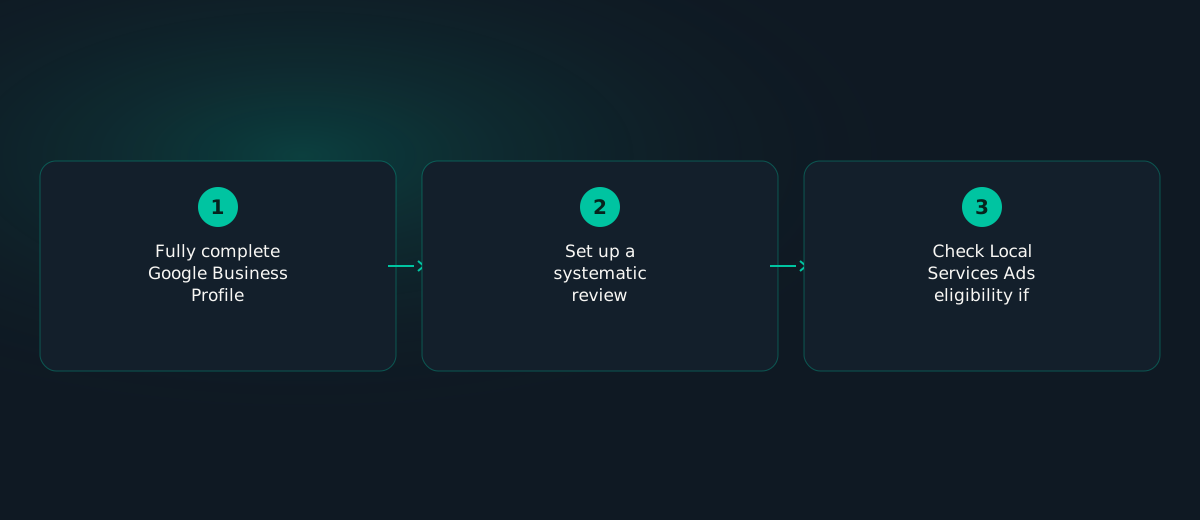
- Fully complete Google Business Profile — accurate categories, hours, service area, and real photos.
- Set a radius based on realistic travel distance for your specific service, not a default setting.
- Add location extensions to Search campaigns so map/address show directly in the ad.
- Set up a systematic review-request process triggered after every job or visit.
- Check Local Services Ads eligibility if your trade qualifies — the verified badge is a strong local trust signal.
Variations by Business Type
| Business type | What to prioritize |
|---|---|
| Storefront / walk-in | Google Business Profile completeness and accurate hours above all else |
| Home-service / trades | Local Services Ads plus radius-targeted Search with call tracking |
| Multi-location | Per-location profile management — treat each location as its own local lead-gen unit |
Case Study
A single-location home-cleaning service was running a Search campaign with a default 25-mile radius and no location extensions, generating leads well outside their actual service area roughly a third of the time. Narrowing the radius to 8 miles (matching realistic travel distance for the crew), adding location extensions, and completing a previously sparse Google Business Profile cut wasted-lead rate significantly and reduced blended cost per qualified lead by close to a third within one month — without any change to the ad budget itself.
Common Mistakes
- Running national-default targeting for a business that only serves a local area.
- Ignoring Google Business Profile in favor of ads alone.
- Setting a radius wider than customers would realistically travel.
- Sporadic, inconsistent review requests instead of a systematic process.
Troubleshooting
Leads coming from outside your service area: check radius settings and location targeting first — this is the most common cause.
Good ad clicks, low Google Business Profile visibility: check profile completeness and review recency — an outdated or sparse profile can undercut otherwise solid ad performance.
Checklist
☐ Google Business Profile fully complete and current
☐ Radius set to realistic travel distance, not a default
☐ Location extensions added to Search campaigns
☐ Systematic review-request process in place
☐ Local Services Ads eligibility checked, if applicable
FAQ
What's different about local lead generation vs national?
Local intent is already narrowed by geography, so radius targeting, Google Business Profile, and location extensions matter far more.
How do I choose the right ad radius?
Base it on realistic travel distance — 2-5 miles for daily-need services, 10-20 miles for considered local purchases.
How important is Google Business Profile?
Often the single highest-leverage free asset a local business has, frequently deciding local search outcomes more than paid ads.
Radius, profile completeness, and review cadence — the three levers above — are configured correctly from day one, not discovered as a fix later.
Local-intent campaigns launch with the right radius and location extensions from the start, plus a systematic review-request workflow running in the background.
Start Free Audit →Sources & Further Reading
- WordStream — 2026 Google Ads Benchmarks Report — Current cross-industry CPC, CTR, conversion rate, and cost-per-lead benchmarks.
- Harvard Business Review — The Value of Keeping the Right Customers — Frederick Reichheld's (Bain & Company) research on retention's effect on profit, published in HBR.
Figures and platform mechanics referenced in this guide are cross-checked against the above as of publication; ad platform thresholds and benchmarks change over time, so confirm current figures directly with the source before making budget decisions.